
I remember staring at my first Google Analytics dashboard years ago, completely paralyzed by the sheer volume of data. Fast forward to the recent GA4 rollout, and even seasoned WordPress developers I work with are feeling that exact same fatigue.
This is where installing a dedicated WordPress statistics plugin changes the game. It pulls the metrics that actually matter (like your top-performing posts, referral sources, and bounce rates) directly into your WP-Admin dashboard. However, not all analytics plugins are created equal. The wrong plugin can bloat your database and drag down your page speed, costing you the very visitors you’re trying to track.
Let’s look at the best options available right now, so you can find a lightweight traffic tracker that gives you clear, actionable insights without slowing down your site.
Key takeaways
- Privacy-first tools like Burst Statistics and Independent Analytics keep data on your own server, helping reduce compliance headaches and reliance on third-party tracking platforms.
- You only need to monitor a few core metrics to make smart business decisions. Heavy analytics platforms can add complexity, performance overhead, and additional consent requirements that many small websites simply do not need.
- Tracking data is only valuable when you act on it, so use analytics to improve underperforming pages, focus on high-converting traffic sources, and keep your most popular content updated.
Why your site data matters
Running a website without tracking your visitors is a recipe for frustration. You might write a brilliant article but have no idea if anyone actually read it. You might spend hours promoting your business on social media without knowing if it drives any real traffic. Operating blindly wastes your precious time and resources.
Data gives you the power to make informed decisions about your content. It tells you what topics your audience craves and what pages they ignore completely. This allows you to stop guessing and start focusing your energy on the things that actually yield results. You can double down on your successes and quickly pivot away from your failures.
The landscape of website management has shifted dramatically. Visitors expect lightning fast load times and strict respect for their digital privacy. If you use outdated tracking methods you risk alienating the very people you want to reach. Understanding your traffic is no longer optional if you want to compete in today’s digital economy.
Why many website owners look beyond Google Analytics
Google Analytics remains one of the most widely used analytics platforms in the world, and for large organisations it offers an impressive range of reporting and tracking capabilities. However, many small business owners, bloggers and freelancers only use a fraction of the features available.
For those users, the platform can feel unnecessarily complex. Finding simple information such as traffic trends, top-performing pages or referral sources often requires navigating multiple reports and menus. While the depth of data is valuable for some organisations, many website owners simply want quick access to the metrics that help them make better decisions.
Privacy is another important consideration. Depending on how Google Analytics is configured, website owners may need to implement consent banners and take additional steps to comply with privacy regulations such as GDPR. This has led many users to explore privacy-focused alternatives that provide useful insights while keeping data collection to a minimum.
Essential metrics every site owner must track
You do not need to track fifty different data points to be successful. Let us break down the terms you actually need to understand.
Total visitors and unique sessions
Total visitors simply counts every single session that occurs on your site. If someone visits your blog twice in one day they count twice in this metric. Unique sessions only count that specific person once during a given time frame.
This metric helps you understand the true size of your actual audience. A steadily growing unique visitor count means your broader marketing efforts are working well. It is the purest indicator of your overall website growth over time.
Pageviews and top performing content
Pageviews show how many times a specific page or article was loaded by a browser. This is your best and most reliable indicator of what topics resonate with your audience.
I regularly check my top content report to see what articles are currently popular. Then I sit down and write more content around those specific topics to drive even more targeted traffic. This simple habit is the secret to sustainable long term growth.
Referrers and traffic sources
This vital metric tells you exactly how people found your website in the first place. They might come from a search engine result or a direct link from a social media platform.
Knowing your traffic sources helps you focus your limited marketing energy. If you get zero traffic from a specific social media network you might want to stop spending your valuable time there. You can then redirect that energy to platforms that actually bring you visitors.
Bounce rate and average time on page
Bounce rate measures the percentage of people who leave your site without clicking anything else. A high bounce rate usually means your page did not answer their question or the page loaded too slowly.
Average time on page tells you if people are actually stopping to read your content. If a massive article has an average reading time of ten seconds you know there is a severe problem with the layout or the writing. You can use this data to refine your content and keep people engaged longer.
What makes the ideal WordPress statistics plugin
Choosing the right analytics plugin comes down to balancing usability, privacy, performance and reporting. The best tools provide clear insights without slowing down your website or overwhelming you with unnecessary data. When reviewing analytics plugins, I focus on four key areas: privacy and compliance, performance impact, dashboard usability and reporting capabilities.
Total data ownership and privacy compliance
Privacy laws like GDPR and CCPA are strictly enforced globally right now. A good tool helps you easily stay compliant without requiring an expensive law degree.
I strongly prefer tools that keep all tracking data safely on your own server. You own your data completely and you do not have to show aggressive cookie banners to your visitors. This creates a vastly superior user experience for everyone involved.
Minimal impact on website performance
Every script you add to your site has the potential to affect performance. If improving page speed is a priority, the same principles used to speed up a WordPress site also apply when choosing analytics and tracking tools.
Ideally, your analytics setup should have minimal impact on performance and load almost instantly.
Your analytics setup should never hurt your overall user experience or damage your technical SEO scores.
Simple and intuitive dashboard usability
You should be able to understand your daily traffic at a single glance. The best tools put a clear summary right inside your main admin area.
You will check your data much more often if it is easy to find and simple to read. Convenience is a massive factor in building long term data habits. If you have to log into a separate website you will eventually stop checking your numbers.
Complete accuracy and reliability
Your data needs to be reliable if it’s going to inform business decisions. Some older tools get easily blocked by modern ad blockers or strict privacy browsers.
You want a modern solution that uses reliable tracking methods that bypass these common hurdles legally. This ensures you are making big business decisions based on absolute reality rather than fragmented data.
The methodology
Choosing a WordPress statistics plugin isn’t just about finding the tool with the longest feature list. The best plugin for most website owners is the one that provides useful insights, respects visitor privacy, performs well and is easy to use on a daily basis.
To evaluate the plugins in this guide, I looked at four key areas that have the biggest impact on the overall user experience.
| Evaluation metric | What we considered |
|---|---|
| Data privacy and legal compliance | Whether data is stored locally or shared with third parties, along with the plugin’s privacy-focused features and compliance options |
| Website performance and speed | The potential impact on site speed, server resources and overall user experience |
| Dashboard usability | How easy it is to find, understand and act on important website metrics |
| Feature depth | The range of reporting, tracking and integration options available |
Each plugin was scored across these categories and then given an overall rating based on its balance of privacy, performance, usability and reporting capabilities.
The best WordPress statistics plugins
There are hundreds of analytics and tracking plugins available in the WordPress plugin directory. I have personally tested the most popular ones using the strict methodology outlined above.
Burst Statistics
Free/Paid | Overall Score: 9.6/10 | Privacy Compliance: 10/10 | Performance Impact: 10/10 | Usability: 9.5/10 | Feature Depth: 9/10
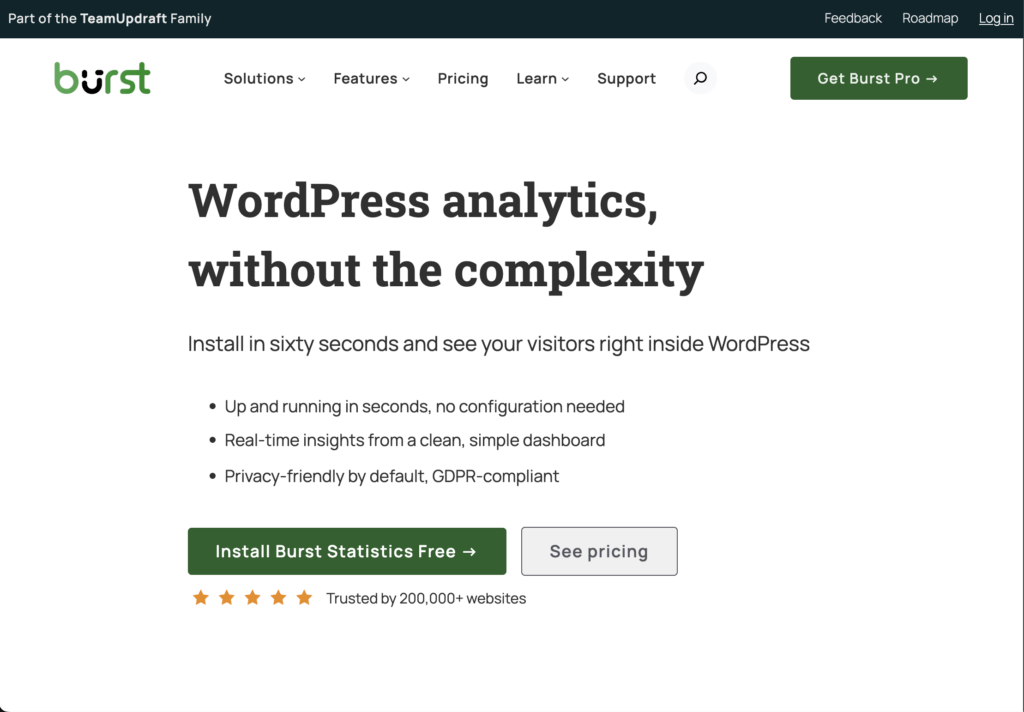
Burst Statistics is a WordPress analytics plugin designed for website owners who want clear insights without relying on complex third-party analytics platforms. Unlike many alternatives, it keeps your analytics data inside WordPress, making it easy to monitor traffic, top-performing content, referrers and visitor behaviour from a familiar dashboard.
What sets Burst Statistics apart is its focus on privacy, ease of use and performance. The setup process takes just a few minutes, and the dashboard surfaces the metrics most website owners actually need instead of overwhelming them with dozens of reports. For bloggers, businesses and online stores looking for a straightforward way to understand their audience, Burst strikes an excellent balance between simplicity and functionality.
Key features
- Privacy-friendly analytics with support for cookieless tracking
- Analytics data stored directly within WordPress
- Track visitors, page views, referrers and popular content
- Extends WooCommerce Analytics with funnel view
- Goal tracking and advanced reporting available in Pro
- Lightweight design with minimal impact on website performance
- Simple dashboard that makes key metrics easy to understand
Pros
- Easy to set up and use, even for beginners
- Keeps analytics data under your control
- Strong focus on privacy and GDPR-friendly tracking
- Dashboard is built directly into WordPress
- Minimal performance overhead compared to many analytics alternatives
- Active development and support from the TeamUpdraft team
Cons
- Some advanced enterprise-level reporting features are not available
- Businesses that rely heavily on complex attribution modelling may require a more specialised analytics platform
Final verdict
Burst Statistics is one of the strongest WordPress statistics plugins available today. It provides the metrics most website owners need in a clean, easy-to-use dashboard while maintaining a strong focus on privacy and performance. For bloggers, small businesses, publishers and WooCommerce stores that want actionable insights without the complexity of traditional analytics platforms, it’s an excellent choice.
Get simple and private website insights
Stop drowning in complicated data dashboards that slow down your site. Burst gives you the essential metrics you actually need directly inside your admin panel without ever compromising visitor privacy.
Independent Analytics
Free/Premium | Overall Score: 8.5/10 | Privacy Compliance: 9/10 | Performance Impact: 9/10 | Usability: 8.5/10 | Feature Depth: 7.5/10

Independent Analytics is a privacy-focused WordPress analytics plugin that aims to make website statistics easier to understand. Like Burst Statistics, it stores analytics data locally and presents key metrics directly inside the WordPress dashboard. Its clean interface and straightforward reporting make it particularly appealing to bloggers, content creators and small business owners who want quick access to their website data without relying on external analytics platforms.
Key features
- Locally stored analytics data
- Visitor, page view and referrer tracking
- Automatic tracking of 404 pages and broken links
- Built-in filtering to reduce bot and spam traffic
- GDPR-friendly approach with minimal reliance on third-party services
Pros
- Easy-to-use dashboard with clear reporting
- Strong focus on privacy and data ownership
- Minimal impact on website performance
- Useful built-in 404 tracking features
Cons
- Fewer advanced reporting options than some competitors
- Premium pricing can become expensive for agencies managing multiple websites
- Limited ecommerce and campaign tracking compared to specialist analytics platforms
Final verdict
Independent Analytics is a strong option for bloggers and small website owners who want straightforward reporting without the complexity of enterprise analytics tools. It offers a clean user experience and solid privacy features, although larger businesses may eventually outgrow its reporting capabilities.
MonsterInsights
Free/Premium | Overall Score: 7.5/10 | Privacy Compliance: 5/10 | Performance Impact: 6/10 | Usability: 8/10 | Feature Depth: 10/10

MonsterInsights is a popular analytics plugin that connects WordPress with Google Analytics. Rather than collecting analytics data itself, it helps users view Google Analytics reports from within the WordPress dashboard and adds additional tracking capabilities for ecommerce, forms, downloads and other user interactions.
For website owners already invested in the Google Analytics ecosystem, MonsterInsights can make reporting more accessible by surfacing key metrics directly inside WordPress.
Key features
- Integration with Google Analytics
- Ecommerce tracking for major online store platforms
- Tracking for file downloads, affiliate links and custom events
- WordPress dashboard reporting
- Add-ons for additional tracking and reporting features
Pros
- Extensive reporting and tracking options
- Strong ecommerce and marketing integrations
- Familiar solution for existing Google Analytics users
- Supports advanced event and conversion tracking
Cons
- Relies on Google Analytics and external data processing
- Some features require a premium licence
- May require additional privacy and consent considerations depending on your setup
- More features than many smaller websites need
Final verdict
MonsterInsights is well suited to businesses and website owners who already use Google Analytics and want easier access to reporting within WordPress. Its broad feature set and integrations make it a capable option for more advanced tracking requirements, although some users may find simpler analytics solutions easier to manage.
WP Statistics
Free/Premium | Overall Score: 7.2/10 | Privacy Compliance: 9/10 | Performance Impact: 6.5/10 | Usability: 6/10 | Feature Depth: 8/10

WP Statistics has been around for many years and remains a popular choice for website owners who want to keep their analytics data on their own server. It provides detailed reporting on visitors, traffic sources, locations and devices without relying on external analytics platforms.
Key features
- Self-hosted analytics and local data storage
- Detailed visitor and traffic reporting
- Geographic visitor data and location tracking
- Browser, device and search engine reporting
- Data export functionality for external analysis
Pros
- Strong focus on privacy and data ownership
- Comprehensive reporting available in the free version
- Wide range of visitor and audience metrics
- No reliance on external analytics services
Cons
- Interface can feel dated compared to newer analytics plugins
- Large datasets may increase database usage over time
- Performance may be affected on high-traffic websites if data is not managed carefully
Final verdict
WP Statistics is a good choice if you want detailed analytics and complete control over your data. It provides far more reporting than many alternatives, which some website owners will appreciate. However, the interface can feel dated, and the amount of information available may be more than most beginners need.
Site Kit
Free | Overall Score: 6.8/10 | Privacy Compliance: 4/10 | Performance Impact: 7/10 | Usability: 7/10 | Feature Depth: 9/10

Site Kit is Google’s official WordPress plugin for connecting services such as Google Analytics, Search Console, AdSense and PageSpeed Insights. Rather than acting as a standalone analytics platform, it brings data from multiple Google products into your WordPress dashboard, making it easier to monitor website performance without switching between several accounts.
For website owners already using Google’s tools, Site Kit provides a convenient way to access key metrics from a single location.
Key features
- Official integration with Google Analytics and Search Console
- Search performance and keyword data within WordPress
- PageSpeed Insights reporting
- AdSense integration for publishers
- Completely free to use
Pros
- Simple setup process
- Direct integration with Google’s services
- Useful Search Console and PageSpeed Insights data
- No premium version or paid upgrades
Cons
- Relies heavily on external Google services
- Provides summary-level reporting rather than detailed analytics
- Most in-depth analysis still requires visiting Google’s platforms
- Privacy and consent requirements may vary depending on which Google services you use
Final verdict
Site Kit is a useful plugin for website owners who already rely on Google’s tools and want quick access to key metrics from within WordPress. While it isn’t a dedicated statistics plugin in the same way as some alternatives, it provides a convenient overview of search performance, traffic and site health in a single dashboard.
Overview table
| Rank | Plugin | Overall Score | Price Range | Best For |
|---|---|---|---|---|
| 1 | Burst Statistics | 9.6 / 10 | Free to $199/year | Modern, privacy-focused websites |
| 2 | Independent Analytics | 8.5 / 10 | Free to $249/year | Simple, lightweight blogs |
| 3 | MonsterInsights | 7.5 / 10 | Free to $199.50/year | Google Analytics users |
| 4 | WP Statistics | 7.2 / 10 | Free to $449/year | Detailed self-hosted analytics |
| 5 | Site Kit by Google | 6.8 / 10 | Free | Basic Google service integration |
Step by step guide to installing your tracking tool
Getting started with website analytics doesn’t have to be complicated. Many analytics platforms require additional accounts, tracking codes and third-party integrations before you can start collecting data. By contrast, WordPress analytics plugins are often much quicker to set up.
For this example, we’ll use Burst Statistics. Installation takes just a few minutes, and you can start viewing visitor data directly from your WordPress dashboard without adding tracking scripts manually. Here’s how to get up and running.
As with any plugin installation, it’s sensible to have a recent backup of your WordPress site available in case you need to roll back any changes.
- Log into your WordPress dashboard as an administrator
- Navigate to the Plugins menu on the left side and click Add New
- Type “Burst Statistics” into the search bar at the top right
- Click the Install Now button next to the plugin with the Burst logo
- Once installation finishes, click the Activate button
Once activated, Burst guides you through a short onboarding process where you can configure your tracking preferences and start viewing analytics data. You can choose whether to enable cookieless tracking (which I highly recommend for bypassing consent banners) and instantly view your fresh analytics dashboard. It starts collecting real-time visitor data immediately – no need to wait twenty-four hours for external servers to sync.
Simple analytics. Better decisions.
You shouldn’t need a data science degree to understand your website traffic. Burst Statistics makes it easy to monitor visitors, top-performing content, and traffic sources from a clean, privacy-friendly dashboard.
Turning raw numbers into a growth strategy
Collecting analytics data is only the first step. The real value comes from using that information to improve your website, create better content and focus your efforts where they’ll have the biggest impact.
Here are a few practical ways to use your website statistics to make smarter decisions.
Improve underperforming pages
Start by looking at pages with high bounce rates or low engagement. These pages may not be meeting visitor expectations, loading quickly enough or encouraging users to explore further.
Review the content, strengthen the introduction, improve the page layout and add relevant internal links to guide visitors to other useful resources. Even small changes can improve engagement and help visitors find the information they’re looking for.
Focus on your best traffic sources
Your analytics data can show where your most engaged visitors are coming from. Whether that’s organic search, social media, email campaigns or referrals from other websites, identifying your strongest channels helps you spend your time more effectively.
Rather than trying to be active everywhere, focus on the channels that consistently bring relevant traffic and contribute to your website’s goals.
Keep your most popular content up to date
Your top-performing pages are often your most valuable assets. Reviewing them regularly helps ensure the information remains accurate, relevant and useful for visitors.
Look for opportunities to update outdated information, add new insights and improve the overall user experience. Keeping your most popular content fresh can help maintain rankings, improve engagement and provide a better experience for your audience.
Conclusion
If there’s one lesson to take away from this guide, it’s that simpler is often better. The best WordPress statistics plugin isn’t necessarily the one with the most features. It’s the one that gives you the information you need to make better decisions without adding unnecessary complexity, slowing down your website or creating additional privacy concerns.
Whether you’re running a blog, an online store or a business website, tracking key metrics such as visitor numbers, top-performing content and traffic sources can help you understand what’s working and where there are opportunities to improve. The goal isn’t to collect more data, it’s to use the right data to grow your website.
If you’re looking for a privacy-friendly analytics solution that works directly inside WordPress, Burst Statistics is one of the strongest options available. It provides the essential insights most website owners need while keeping your analytics data under your control and your dashboard easy to use.
Whichever tool you choose, make a habit of reviewing your statistics regularly. Small improvements made consistently often have a much bigger impact than chasing every metric available.
FAQs
The best WordPress statistics plugin depends on your priorities. If you want simple reporting, strong privacy protection, and minimal impact on site speed, Burst Statistics is one of the strongest options available. If you need advanced integrations with Google Analytics and other marketing platforms, tools such as MonsterInsights may be a better fit.
Tracking visitor activity helps you understand which content performs well, where your traffic comes from and how people interact with your website. Without analytics data, it’s much harder to identify opportunities for improvement or measure whether your efforts are delivering results.
Some analytics plugins can affect performance, particularly if they rely on multiple external scripts or collect large amounts of data. Lightweight, privacy-focused plugins generally have a much smaller impact on page speed and server resources.
Most website owners only need a handful of metrics to make informed decisions. Focus on: Total visitors, Unique visitors, Top-performing pages, Traffic sources, Bounce rate, and Average time on page. Tracking these metrics consistently will provide enough insight to improve content and marketing efforts without becoming overwhelmed by data.
That depends on the tool you use and the privacy regulations that apply to your website. Some privacy-focused analytics solutions support cookieless tracking and minimise personal data collection, which can simplify compliance requirements. It’s always worth reviewing the regulations that apply in your region.
You can, but it’s not always necessary. Running multiple analytics tools may increase complexity and make reporting harder to interpret. In most cases, choosing one solution that provides the metrics you need will result in a simpler and more reliable setup.