Search Burst

Find answers, guides, features and more.

    UTM & Campaign tracking

    See which campaigns are worth running again

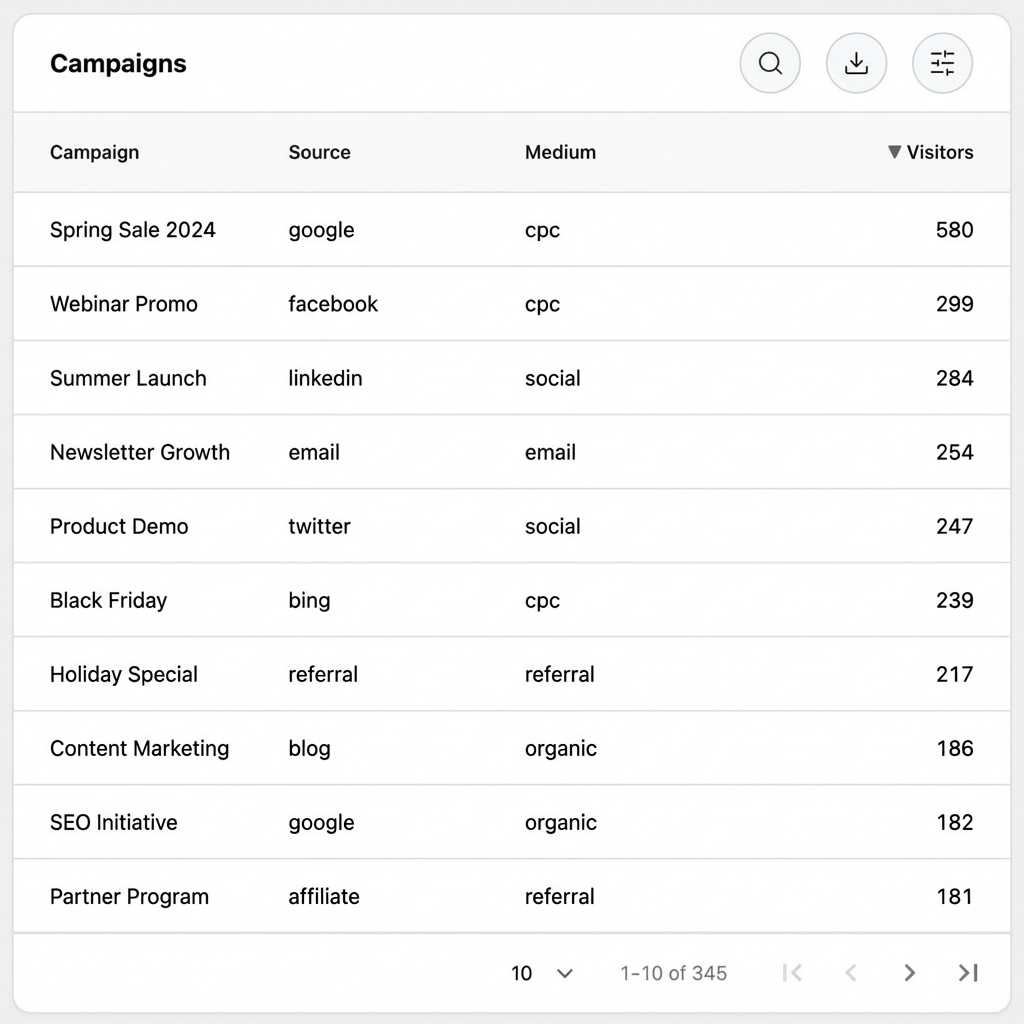
    You sent a newsletter, posted on LinkedIn and ran a small ad. Which one brought the new visitors? Without UTM tracking, you’re making your next move based on gut feel. Burst tracks every parameter automatically, so you always know what’s working

    4.9 out of 5 stars out of 188 reviews

    Measure pageviews attributed to specific marketing efforts

    Measure pageviews attributed to specific marketing efforts

    Connect marketing clicks to actual results

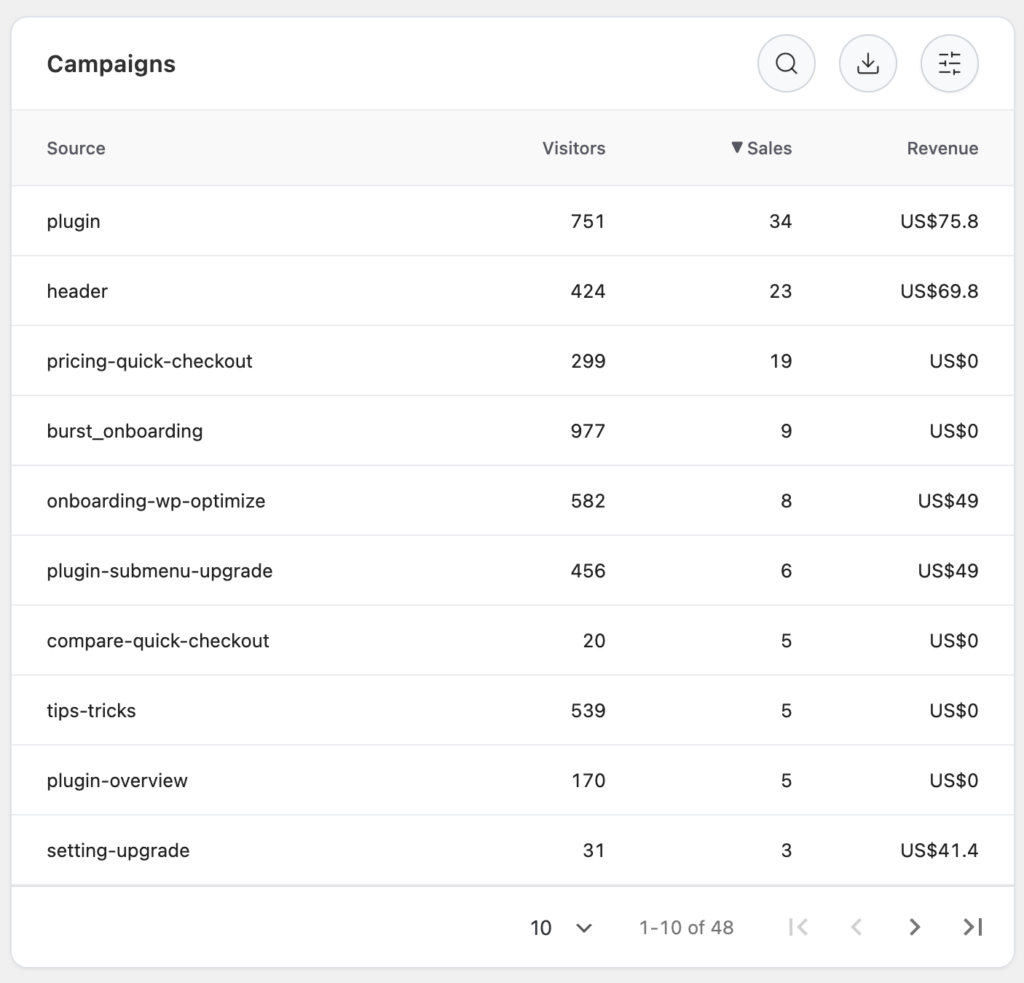
    Traffic only matters if it brings the right people. See exactly how many visitors, WooCommerce sales, and total WooCommerce revenue came from a specific newsletter or ad. By comparing conversion rates side by side, you can confidently allocate your budget to the channels that perform best and stop wasting money on the ones that do not.

    Included in Business plan
    Track standard UTM parameters (source, medium, campaign etc.)

    Track standard UTM parameters (source, medium, campaign etc.)

    Track campaigns with nothing to configure

    There’s no tag manager or setup. Add UTM tags to your link, like utm_source and utm_campaign, and Burst picks them up when someone lands on your site.

    Included in Creator plan
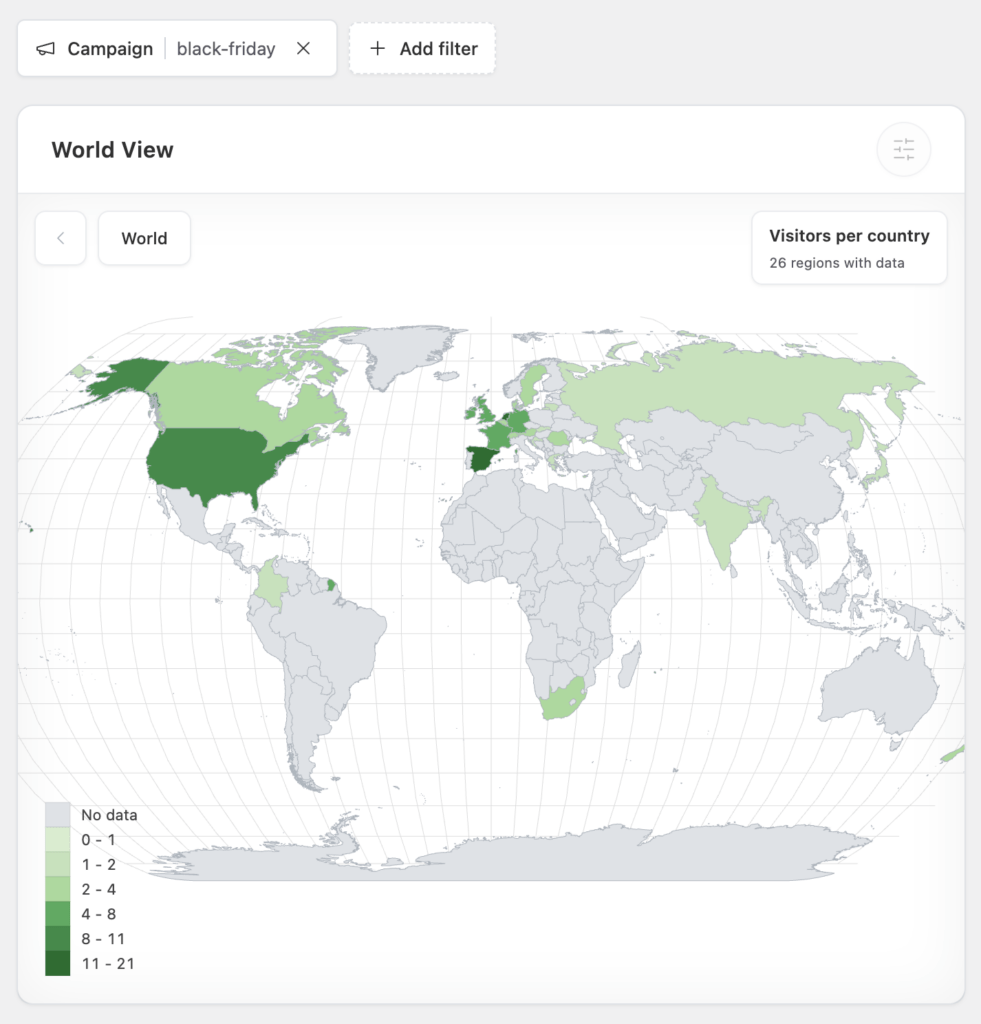
    Filter your entire dashboard by a specific campaign

    Filter your entire dashboard by a specific campaign

    See what one campaign’s visitors did

    Running a spring sale? Filter the dashboard by that campaign to see only those visitors, including their top pages, devices and locations. It shows if the campaign brought people who looked around or people who left after one page.

    Included in Creator plan

    Ready to try all features for free?

    Try all Burst Pro features for 14 days! Business & Agency features are included.

    Zero-config setup takes less than 2 minutes

    Lightweight code keeps your site fast & optimised

    Clean dashboard focused on metrics that matter

    What our WordPress users are saying

    4.9 out of 5 stars out of 188 reviews

    "Love how it’s quick to setup, use and yet powerful enough to get the stats you need."

    @dinz

    "I had Google Analytics, I installed Burst stats and it gives me the stats I need without all the overhead.

    @marxgal

    "Finally, an analytics plugin I can actually explain to clients."

    @anguskeystone

    Frequently asked questions

    Will my clients understand Burst?

    Burst is made to be understandable, not overwhelming and actually useful.

    We prioritise keeping things simple over tracking every metric possible, we focus on data that actually provides insight.

    Where does Burst store my data?

    All data collected by Burst stays on your own WordPress site. Unlike some other analytics tools, our business model doesn’t rely on monetizing your data.

    Does Burst slow down my website?

    No, it does not. Even with lots of data gathered it does not slow down the pagespeed for your visitors.

    Try Burst Pro free for 14 days

    Every Pro feature is on during the trial, so you see your own sales, funnels and form conversions before you pay.

    Not for you? Get your money back within 30 days.