Search Burst

Find answers, guides, features and more.

    Features

    • Connect AI software through MCP

      Connect Burst to AI software that supports MCP

      MCP is a standard way to connect AI software to other tools. With the WordPress MCP Adapter installed and Abilities API on, connected software can read your Burst statistics. It can’t change anything. Sales and subscription data need Burst Pro.
    • Add an AI summary to reports

      Start each report with a short summary

      Add the AI summary block to an email or story report and it sums up the period in a few sentences. It needs the WordPress AI plugin with a connected AI provider, and report data goes to that provider to write the summary.

    • Ask questions in an AI chat

      Ask questions about your statistics

      Burst includes an AI chat in your dashboard. Ask about your traffic in plain language and it looks up your Burst data to answer. It requires the WordPress AI plugin and a connected AI provider, and Abilities API has to be on in Burst’s settings.

      Your question and the data used to answer it go to that provider.

    • AI & MCP

      Ask your statistics a question

      Ask about your traffic in plain language, start reports with a short summary, or connect AI software that supports MCP. You choose the AI provider, and it can read your statistics but not change them. None of it runs until you set it up.

    • 404 Not Found tracking

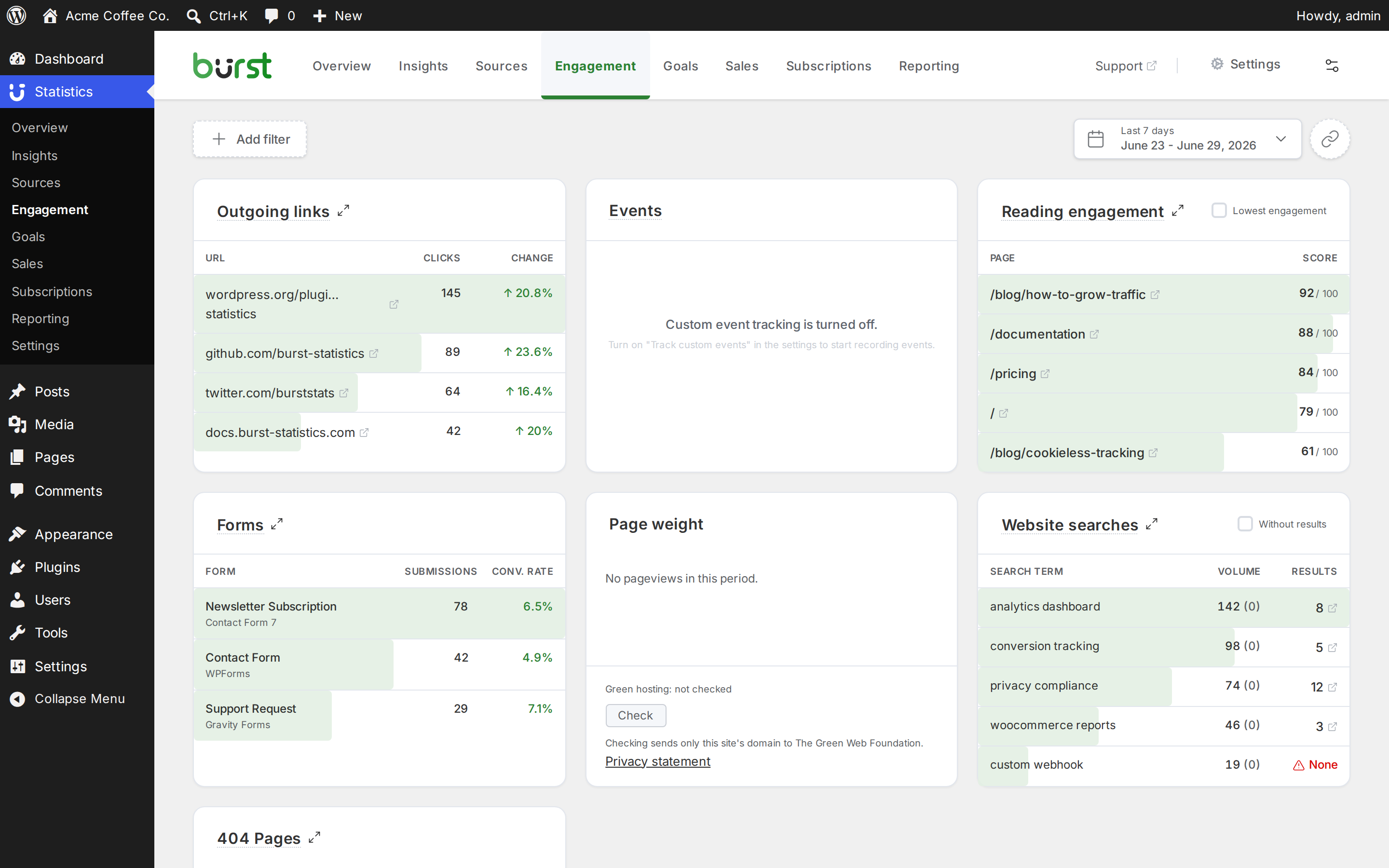
      A 404 is the error page someone sees when a URL doesn’t exist. Burst lists the missing URLs people request most, with a hit count for each, and keeps these hits out of your regular page statistics.

      Open a URL to see which pages and outside sites link to it. If the link is on your own site, Burst takes you straight to the page editor to fix it. If another site links there, a redirect is usually the better fix.

    • Website search tracking

      Learn what people can’t find

      The Website searches block shows what visitors type into your site’s search box, how often and how many results each term returned. Turn on Without results to see only the searches that came up empty.

      A search with no results is a direct request. Write that post, add that product or start using the word your visitors use.

    • Automatic form tracking

      See which forms people actually send

      Burst picks up submissions from supported form plugins, like Contact Form 7, WPForms, Gravity Forms and Fluent Forms, with no code to add. Each form shows its submissions and conversion rate. Check the integrations to see if yours is covered.

      A low rate tells you where to look first: the form’s length, its placement or the page around it. It shows that fewer people send the form, not why.

    • Reading engagement

      Find out which pages get read

      A high pageview count doesn’t mean anyone read the page. Burst gives each page a score out of 100, based on time on page, scroll depth and how long the text should take to read.

      Switch to Lowest engagement to see the pages people skim. Those are the ones to check first: try a stronger opening, a shorter text or a closer match with what visitors came for.

    • Outgoing link tracking

      Burst counts clicks on links to other websites and shows each URL with its clicks and the change over time. That’s useful for affiliate links, partner sites and anything you recommend.

      If one link gets most of the clicks, move it higher up or write more on that topic. A click shows interest, not what happened on the other site. Burst first scans your site for links, so data appears once that scan is done.

    • Engagement tracking

      Find what’s broken, missing or ignored on your site

      Use the Engagement page as a to-do list for your site: links that lead nowhere, searches with no results, pages people skim, forms that don’t get sent and outgoing links that do or don’t get clicked. It’s all in your WordPress dashboard.

      Engagement tracking
    • Compatible with GDPR, CCPA, PECR and NFADP

      Designed for global compliance

      Because Burst processes and anonymises all data locally on your own WordPress server, you retain total data sovereignty. When you use cookieless tracking, no personal identifying information (PII) is stored or sent to third-party advertisers. It is the smartest way to understand your audience while minimising your legal liability. Burst is built to be fully compatible with strict privacy regulations like GDPR, CCPA, PECR, and NFADP.

      Compatible with GDPR, CCPA, PECR and NFADP
    • Compare sales metrics over time

      Monitor the metrics that matter

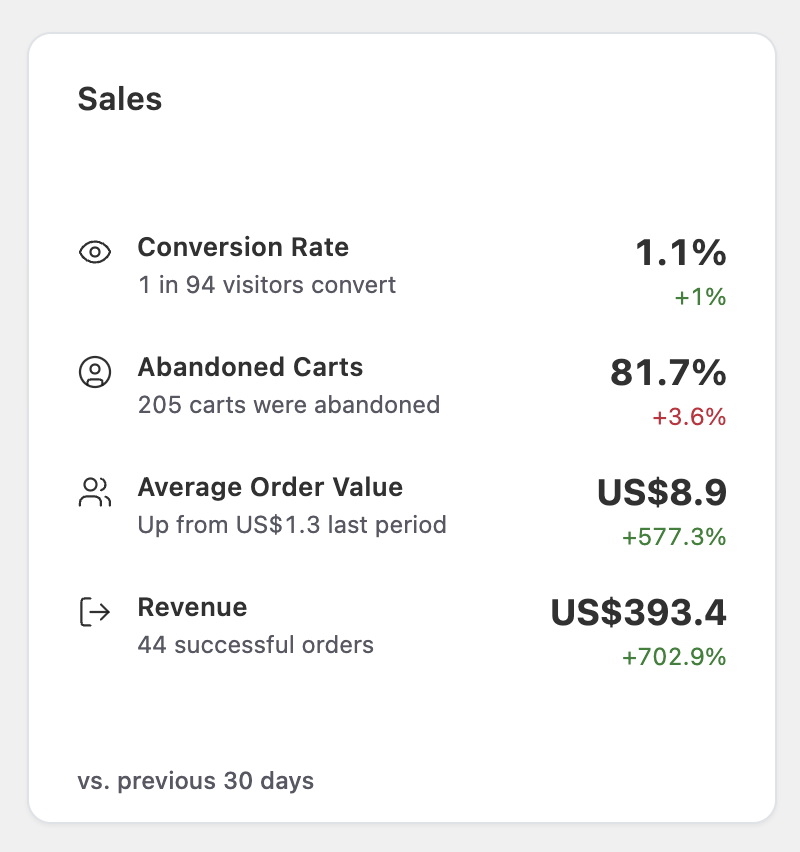
      Keep a close eye on the financial health of your store. We give you a straightforward overview of your most critical e-commerce data. Track your total revenue, monitor how your average order value (AOV) changes over time, and see exactly what percentage of your visitors actually convert into paying customers.

      Compare sales metrics over time